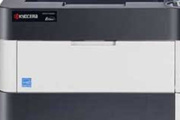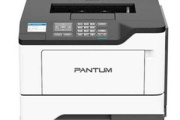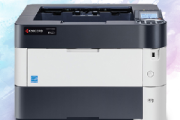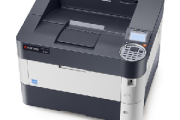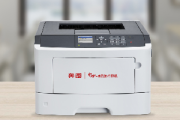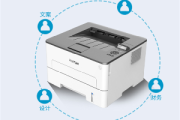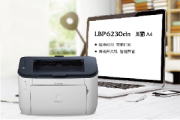
奔图Pantum P3225DN for win7/8/10 32bit
其他驱动下载
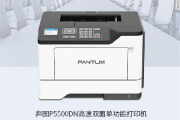
奔图p3225dn驱动适用于同型号的打印机,主要用于解决打印机不能连接电脑或者无法正常打印的问题,安装一下驱动打印机就可以进行正常的打印工作了,在这里了小编提供了驱动下载,欢迎需要的朋友来硬件之家下载使用!
安装步骤
1、在硬件之家下载驱动压缩包然后解压
2、双击运行.exe文件
3、点击下一步进行安装,根据提示安装完成就可以使用了。

打印机特色
1、双面:标配自动双面单元;
2、耐用:月打印负荷达150000页,耐用性高;
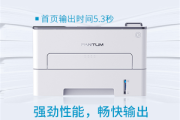
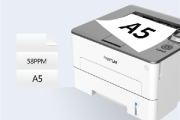
3、高速:打印速度33ppm;
4、经济:实惠的整机价格、经济的单页使用成本;
5、网络打印:支持有线网络打印,通过网络有效提高打印机利用率
6、一年保修
相关下载
- 奔图Pantum P3415DN for win7/8/10 64bit
- 奔图Pantum P3509DN for win7/8/10 32bit
- 奔图Pantum P3509DN for win7/8/10 64bit
- 奔图Pantum P3506DN for win7/8/10 32bit
- 奔图Pantum P3506DN for win7/8/10 64bit
- 奔图Pantum P5006DN for win7/8/10 32bit
- 奔图Pantum P5006DN for win7/8/10 64bit
- 奔图Pantum P3508DN for win7/8/10 32bit
- 奔图Pantum P3508DN for win7/8/10 64bit
- 奔图Pantum P3301DN for win7/8/10 32bit

相关教程
-
 京瓷p2135dn休眠设置 2021-09-07
-
惠普p2055dn换硒鼓教程 2023-05-19
-
奔图p5500dn怎么密码打印 2022-05-27
-
京瓷p3060dn怎么删除打印任务 2021-09-13
-
京瓷p4040dn加碳粉怎么操作 2021-08-15
-
京瓷p4040dn卡纸怎么办 2021-08-12
-
奔图p5000dn怎么选择纸盒 2021-05-22
-
奔图p3301dn粉盒寿命尽怎么处理 2021-06-01
-
奔图p5500dn怎么加墨清零 2021-08-12
-
奔图p3301dn支持win10系统吗 2021-06-01
-
奔图p3301dn黄灯亮是什么意思 2021-06-01
-
奔图p3301dn加粉后如何清零 2021-06-01