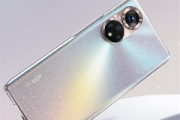
荣耀v40怎么拍微距
作者:
大闷头
更新时间:
2021-02-23 15:52
荣耀v40怎么拍微距?还不知道怎么设置方法的朋友们,下面小编就为大家带来拍微距方法介绍,接着往下看吧。
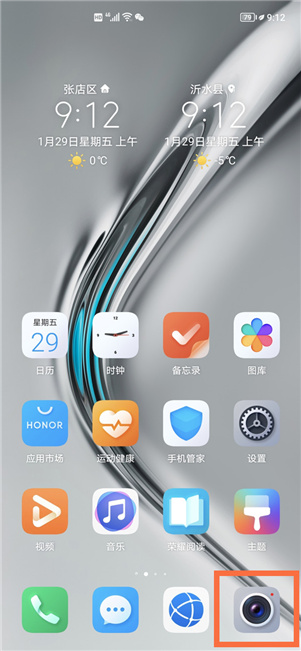
1、点击手机桌面上的【相机】图标。
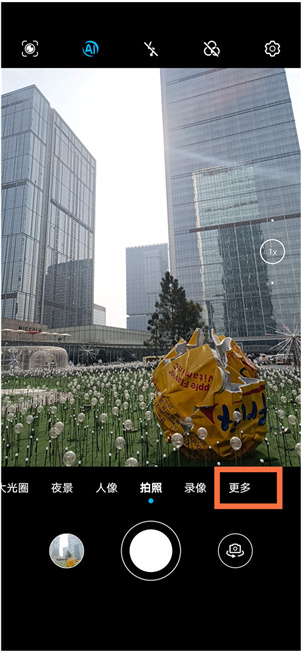
2、点击拍照界面右边的【更多】。
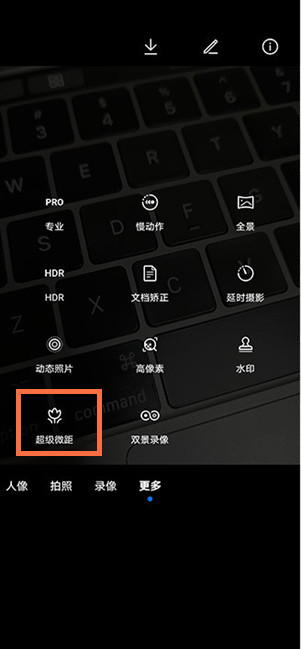
3、选择【超级微距】。
4、对准拍摄物体后,按下快门键即可拍摄。
相关知识
-
 荣耀v40参数配置 2020-12-28
 -
荣耀v40上市时间 2020-12-23
-
荣耀v40几个版本 2021-01-25
-
荣耀v40用什么系统 2020-12-23
-
荣耀v40搭载什么系统 2021-01-22
-
荣耀v40怎么强制分屏 2021-02-18
-
荣耀v40能用华为账号吗 2021-01-25
-
荣耀v40怎么设置屏幕旋转 2021-02-18
-
荣耀v40怎么设置虚拟按键 2021-02-03
-
荣耀50和荣耀v40区别 2021-06-18
-
荣耀v40轻奢版上市时间 2021-03-24
-
荣耀v40轻奢版什么配置 2021-03-24